AlooYTV isn't on Google Play, so on Android you install it from an APK file. That's completely fine as long as the file comes from the official link on this site. The whole thing takes about two minutes, and you don't need an account.
Install steps
- Tap the download buttonTap "Download AlooYTV" on this page and wait for the APK to finish downloading.
- Allow installs from this sourceWhen you open the file, Android shows a warning. Tap "Settings" and switch on "Allow from this source" for the browser you used.
- Install the appGo back to the file, tap "Install" and give it a few seconds.
- Open it and start watchingOpen AlooYTV from your app list and pick a section. No sign-up needed.
Why download from the official site?
Because the app isn't on Google Play, a lot of people go looking for the APK on random download sites. The trouble is that some of those sites hand out old or modified versions, sometimes stuffed with extra ads or asking for permissions a streaming app has no business needing. The download button here always points to the current official version.
Requirements
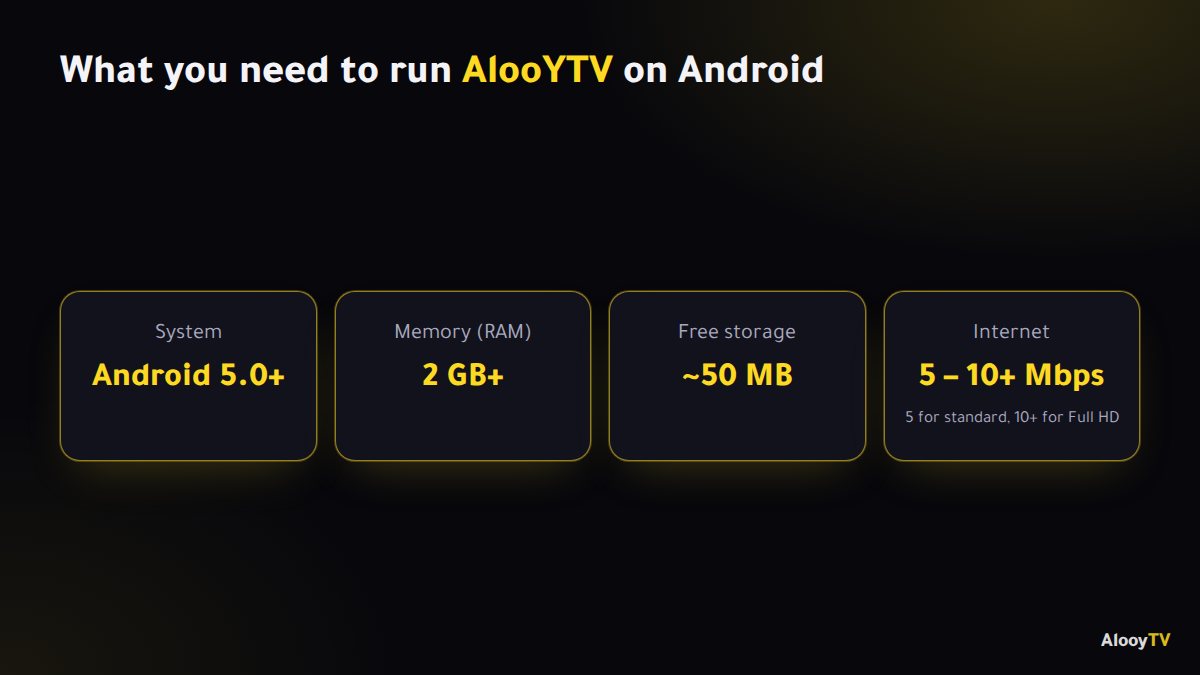
- System: Android 5.0 (Lollipop) or later.
- Memory: 2 GB of RAM or more for smooth playback.
- Storage: around 50 MB free.
- Internet: about 5 Mbps for standard quality, and 10 Mbps or more for Full HD.
Allowing "unknown sources" on different phones
Since Android 8, the permission is given per app, so you're only letting the browser you downloaded with install files. Most phones prompt you automatically when you open the APK. If yours doesn't:
- Most phones: Settings → Apps → Special app access → Install unknown apps → choose your browser → Allow.
- Samsung: if Auto Blocker stops the install, turn it off briefly under Settings → Security and privacy → Auto Blocker, then turn it back on afterwards.
- Xiaomi, Redmi and Poco: the system may scan the file and ask you to wait a few seconds before "Continue" works. That's normal.
Once the app is installed you can switch the permission off again.
What's inside the app?
The app is split into clear sections: live Arabic and international channels, Gulf, Arabic and dubbed Turkish series, movies, plus sports, kids and news. You can search by name, choose a quality that suits your connection, and switch server if a stream is slow.
Common install problems
- "App not installed": an older version is usually still on the phone. Uninstall it first, then install again.
- "There was a problem parsing the package": the file didn't finish downloading, or your Android is older than 5.0. Download it again on a stable connection.
- "Install blocked": allow installs from unknown sources for your browser or file manager, as above.
Still stuck? The help page covers the rest. To keep the app current later, see how to update AlooYTV.
Frequently asked questions
Is the AlooYTV APK free?
Yes. The app is free, with no subscription and no payment details needed.
Is it safe to install an APK?
Yes, if it comes from the official link on this site. Avoid "modded" or "premium" copies from other sites.
Which Android version do I need?
Android 5.0 (Lollipop) or later, with 2 GB of RAM or more recommended.
Can I install it on an Android TV or TV box?
Yes. See the smart TV guide for the Downloader and USB methods.
Ready to start watching?
Live channels, series and movies, free and with no sign-up.