Watching on the big screen is the best way to use AlooYTV, and in most homes here that means the TV in the majlis or the living room. If your TV runs Android TV or Google TV, or you've got an Android TV box plugged in, you can install the app in a few minutes.
Method 1: the Downloader app
- Install Downloader from Google PlayOn the TV, search Google Play for "Downloader" (orange icon) and install it.
- Allow installs from unknown sourcesSettings → Security & restrictions (or Apps → Special app access) → Unknown sources → turn on Downloader.
- Open the download linkOpen Downloader, type this site's address, then press the download button to fetch the APK.
- Install and start watchingPress "Install" when the download finishes, then open AlooYTV from your apps.
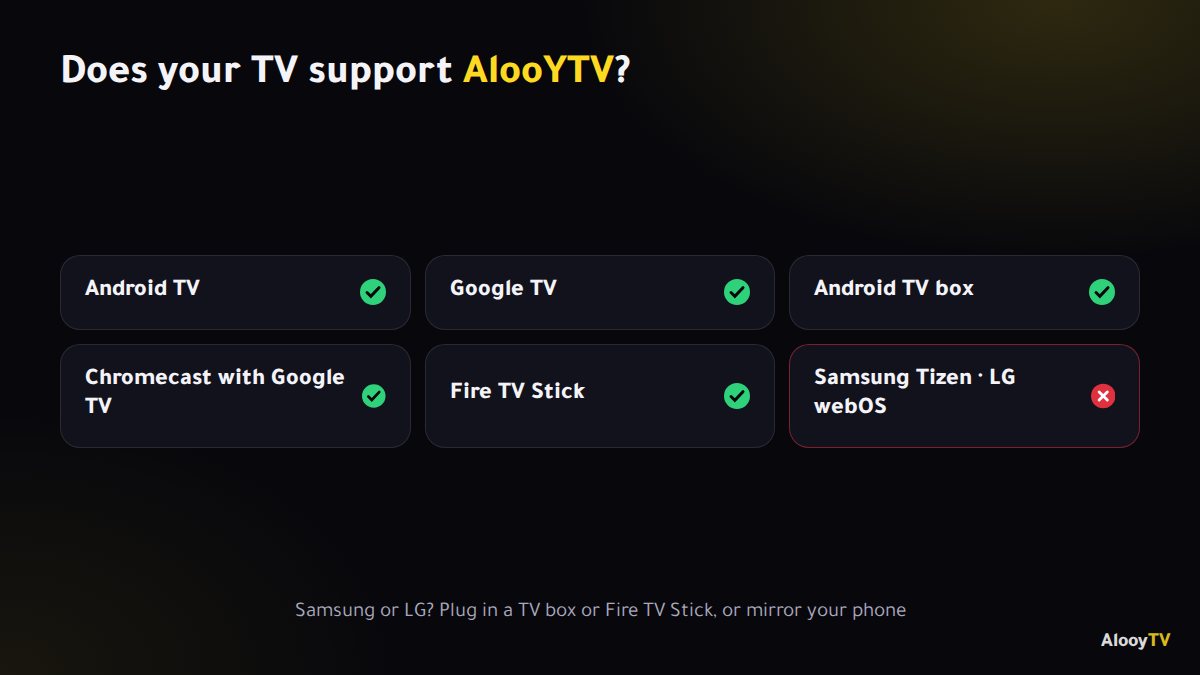
Which TVs support AlooYTV?
AlooYTV runs on any screen or device that runs Android, including:
- Smart TVs with Android TV or Google TV (Sony, TCL, Xiaomi, Hisense and Philips Android models, for example).
- Android TV boxes of every kind.
- Chromecast with Google TV.
- Amazon Fire TV Stick, which has its own step-by-step guide.
Samsung (Tizen) and LG (webOS) TVs can't install APK files directly. The fix is to plug in a TV box or Fire TV Stick, or to mirror your phone to the TV.
Method 2: a USB stick
- Download the APK on your computer from the official link.
- Copy it to a USB stick and plug it into the TV or TV box.
- Open a file manager on the TV (File Commander or X-plore, for example), select the file and choose Install.
This method is handy if the TV's browser is awkward or your connection on the TV is weak.
Tips for the best experience on a big screen
- Use a network cable if the router is nearby. It's far more stable than Wi-Fi.
- Pick 5 GHz Wi-Fi if you have to go wireless and the router is close.
- Restart the TV box now and then to clear its memory, especially on boxes with 2 GB of RAM or less.
- Lower the quality in the player if it buffers at busy times.
Putting AlooYTV on the TV's home screen
On Android TV and Google TV, open the apps list, highlight AlooYTV, long-press the select button and choose to add it to favourites or move it to the front, so it's one click away every evening.
Frequently asked questions
Does AlooYTV work on a Samsung TV?
Not directly. Samsung (Tizen) and LG (webOS) TVs can't install APKs. Plug in a TV box or Fire TV Stick, or mirror your phone.
Do I need a Google account on the TV?
Only to install Downloader from Google Play. AlooYTV itself needs no account.
What internet speed do I need for the TV?
Around 5 Mbps for standard quality and 10 Mbps or more for Full HD.
Ready to start watching?
Live channels, series and movies, free and with no sign-up.