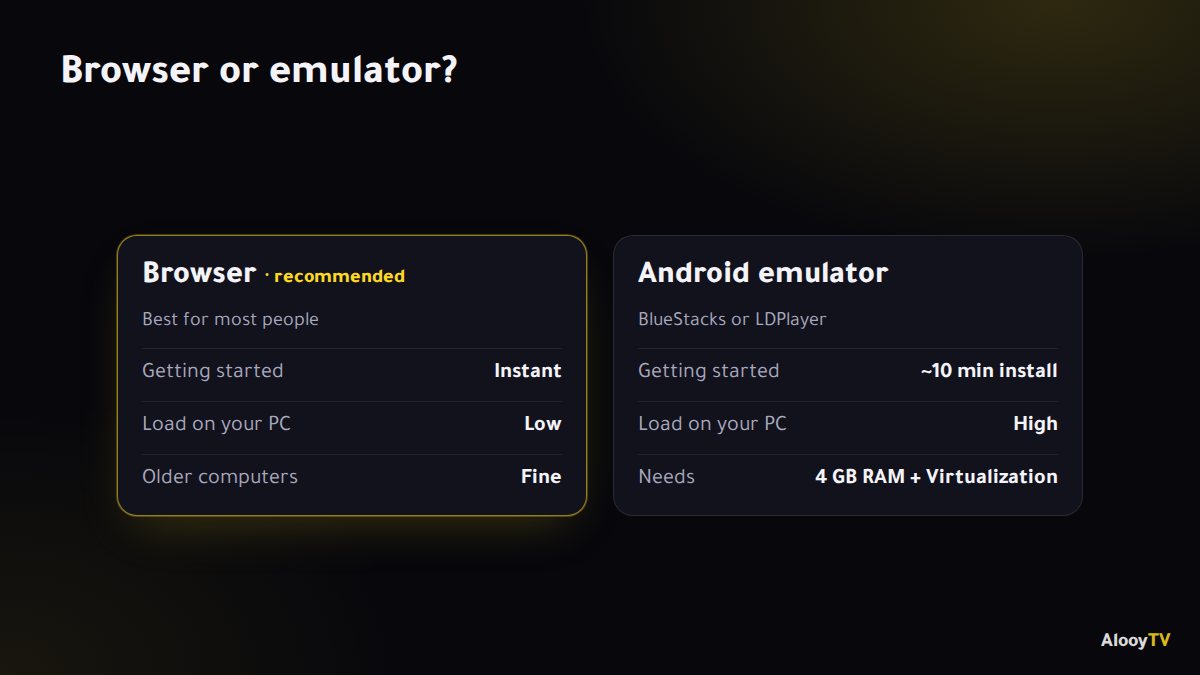
There are two ways to watch AlooYTV on a Windows PC or a Mac. For almost everyone, the browser is the right choice: it's instant and light on your computer. If you specifically want the full Android app, you can run it through an emulator.
Method 1: watch in the browser (easiest)
- Open Chrome, Edge, Firefox or Safari, and make sure it's up to date.
- Click "Watch on AlooYTV" on this page.
- Bookmark alooytv.com (Ctrl + D on Windows, ⌘ + D on a Mac) so you can always get back to the current link.
- Press the full screen button in the player, or F in most players.
If the player won't load, try turning off your ad blocker for the site and refresh the page.
Method 2: the Android app through an emulator
If you prefer the full app interface, you can run the Android version on your computer with an emulator:
- Download a trusted emulator such as BlueStacks or LDPlayer from its official site and install it.
- Download the AlooYTV APK from the Android download page.
- Drag the APK into the emulator window, or use its "Install APK" button.
- Open AlooYTV from the emulator's home screen.
Emulators need at least 4 GB of RAM and Virtualization switched on in your BIOS settings to run well.
Which method should I pick?
| Browser | Emulator | |
|---|---|---|
| Getting started | Instant | About 10 minutes to install |
| Load on your computer | Low | High |
| Full app interface | Web version | Yes |
| Older or weaker computers | Fine | Not recommended |
For most people the browser is the better option. Only use an emulator if you need something the web version doesn't have.
Watching on the TV from your laptop
An HDMI cable is the simplest and most stable way: plug it in, pick the HDMI input on the TV, and on Windows press Win + P to choose "Duplicate" or "Second screen only".
Frequently asked questions
Do I need to install anything on my PC?
No. The browser is enough. An emulator is optional, only if you want the Android app interface.
Does it work on a Mac?
Yes, in Safari or Chrome.
The player shows a black screen. What do I do?
Turn off your ad blocker for the site, refresh, or try another browser.
Ready to start watching?
Live channels, series and movies, free and with no sign-up.